Networking

Member networking platform: know your members before you meet them

Randel helps networking communities move from a contact list to an active group, with discovery tools, recurring check-ins and AI-suggested introductions.

What is a networking community platform?

A networking community platform helps members find each other, understand what everyone offers and keep relationships active. In Randel, a Map view shows where members are, the Explore section surfaces businesses, projects and needs, and check-in meetings keep the group moving - all on the same platform that runs memberships and events.
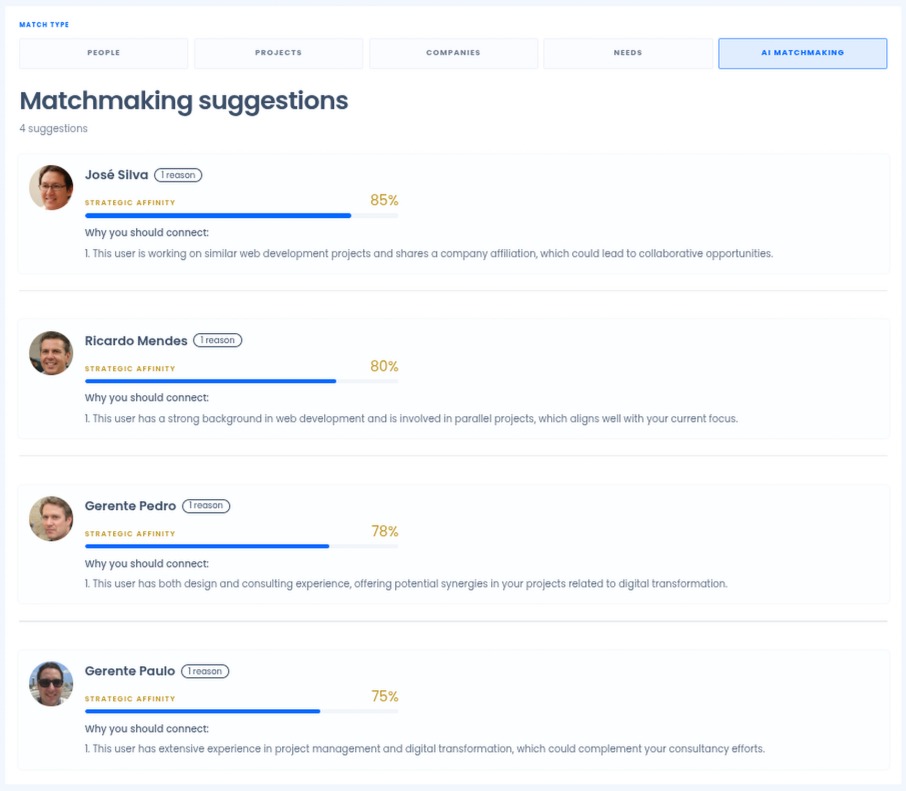
Randel AI matchmaking suggestions with strategic affinity scores

From member list to relationship

Randel does not only store members. Each step helps two people who should know each other actually meet.

  1. Directory

    Rich profiles members keep current.

  2. Discover

    People and businesses across the community.

  3. Needs

    Projects and needs posted in Explore.

  4. AI match

    Suggested introductions with an affinity score.

  5. Introduction

    Members reach out with context.

  6. Meeting

    One-to-one or group meetings scheduled.

  7. Relationship

    Referrals and meetings tracked over time.

What you can do with Randel

Map view

See member locations so proximity and regional context are visible.

Explore

Browse businesses, projects and needs across the community before asking for an introduction.

Rich member profiles

Know who you are reaching out to before you do.

Check-in meetings

Recurring light-touch group meetings - we suggest twice a month - keep the group engaged and surface who needs help.

AI matchmaking

Suggested introductions based on affinity, goals and activity.

Referral and meeting tracking

Track referrals, transactions and meetings to see how the ecosystem is performing.

Your directory should do more than list members

A list of names tells members who belongs. It does not tell them why they should talk. Randel turns the directory into a discovery layer: each entry comes from the member profile, the Explore section shows the businesses members run, the projects they are working on and the needs they have posted, and the Map view shows who is nearby.

The result is a directory members open with a purpose, to find a supplier, a partner, a mentor or someone who has solved the problem they are facing.

Member directory software →

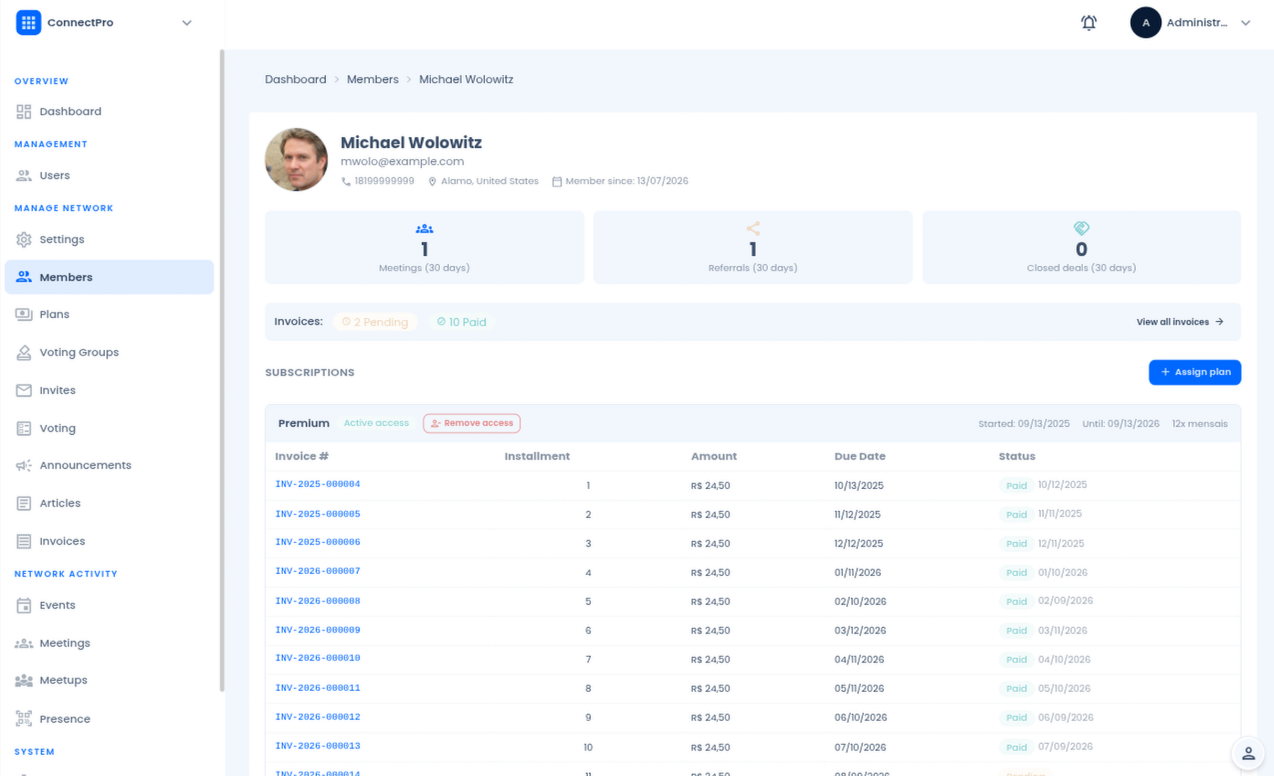
Randel member profile that feeds the member directory with details members keep current

How AI matchmaking works in practice

In a community of a few hundred members, nobody knows everyone. The people who would benefit most from meeting each other often never do. AI matchmaking addresses that specific problem.

  1. 1

    What data it uses

    Member profiles, interests and activity inside the platform, including the projects and needs members choose to share.

  2. 2

    What it produces

    Suggested introductions, each with an affinity score that explains why two members may be a good fit.

  3. 3

    How the introduction happens

    Members see the suggestion, read the other profile and reach out, then continue in a one-to-one or group meeting.

  4. 4

    How the organization stays in control

    Feature configuration decides whether matchmaking is switched on, and permissions and groups decide what members can see about each other.

AI member matchmaking →

Randel AI matchmaking screen suggesting member connections with affinity scores

Meetings and check-ins keep relationships moving

Introductions only matter if people meet. Randel schedules individual or group meetings with invitations and participants in one place, and recurring check-in meetings, which we suggest running twice a month, give members a regular moment to share what they are working on and where they need help.

Referrals, transactions and meetings that come out of those conversations can be tracked, so leaders can see whether the network is creating value and not just activity.

Meetings and scheduling → Business networking software → Referral networks →

Frequently asked questions

What does the Explore section show?

Members can list their businesses, active projects and specific needs. Explore lets anyone browse these at any time, so collaboration and referral opportunities surface naturally.

What are check-in meetings and why twice a month?

Check-ins are recurring group meetings where members share what they are working on and flag where they need support. Twice a month is our suggested cadence - frequent enough to keep momentum, light enough not to feel like a burden.

Where does AI matchmaking fit in?

Once member profiles have context, AI can suggest relevant introductions based on affinity, goals and activity - going beyond proximity to match on intent.

What is the Map view?

It shows member locations so you can find who is nearby, spot regional clusters and create context for in-person networking without a separate tool.

See Randel with your own workflows

Book a demo and we usually follow up within one business day.